Outlook Zero-Day Under Attack: Patch Your Business PCs This Week
One booby-trapped Office file is enough to hand an attacker a scrambled copy of a staff member's Windows password. Microsoft has a fix, but only if the update has actually landed on every PC.
If your team uses classic Outlook on Windows, this week's updates matter more than usual. Microsoft has confirmed that attackers are already using an Outlook zero-day, a flaw that was being exploited before any fix existed. The fix arrived in the November 2026 Patch Tuesday release on 10 November. Most PCs will install it on their own, but "most" isn't good enough when one missed laptop can give away a password.
Below we explain what the flaw does in plain English, who needs to act and a short checklist for UK businesses, from sole traders to larger teams, to work through before the end of the week.
What is the Outlook zero-day?
The flaw is tracked as CVE-2026-124194 and Microsoft classes it as a spoofing vulnerability in Outlook. Its severity score is a modest 6.5 out of 10, which could tempt you to put it at the bottom of the pile. Don't. The score measures the flaw on its own, not the fact that criminals are using it right now.
Here's how it works, in simple terms:
- Someone at your business opens a specially crafted Office file, usually sent as an email attachment or a download link.
- Behind the scenes, Outlook quietly reaches out to a computer the attacker controls.
- In doing so, Windows hands over a scrambled version of that person's sign-in details, known as an NTLM hash.
- The attacker can then try to crack it offline to recover the password, or replay it straight away to log in to other systems as that person.
One piece of good news: according to Rapid7's analysis, "The Preview Pane is not a vector," so simply glancing at an email in the reading pane shouldn't trigger it. The file has to be opened.
Who's affected?
Anyone running a supported version of classic Outlook for Windows, the desktop app that comes with Microsoft 365 Apps and recent Office versions. Rapid7 reports that every supported version of classic Outlook has been patched.
That word "supported" is important. Office 2021 reached end of support in October, as we covered in our Office 2021 end of support guide, so PCs still running it, or anything older, shouldn't expect fixes like this one. If that's you, this flaw is a good reason to move up.
What else is in November's Patch Tuesday?
This was a huge release. Tenable counts 1,093 vulnerabilities, with 63 rated critical, and other trackers give slightly different totals depending on what they include. Either way it's well over a thousand fixes. A few are worth knowing about if you run your own kit:
- Windows Schannel (CVE-2026-119952): a critical remote code execution flaw in the part of Windows that handles secure connections. Microsoft thinks exploitation is more likely.
- Exchange Server (CVE-2026-118207): a critical flaw for businesses that still host their own email server rather than using Exchange Online.
- Active Directory (CVE-2026-118146): a critical flaw affecting Windows domain controllers, again rated more likely to be exploited.
If your email is in Microsoft 365 and you don't have servers in the office, the Exchange and Active Directory fixes are Microsoft's job, not yours. The Windows and Outlook updates on your own PCs are very much yours.
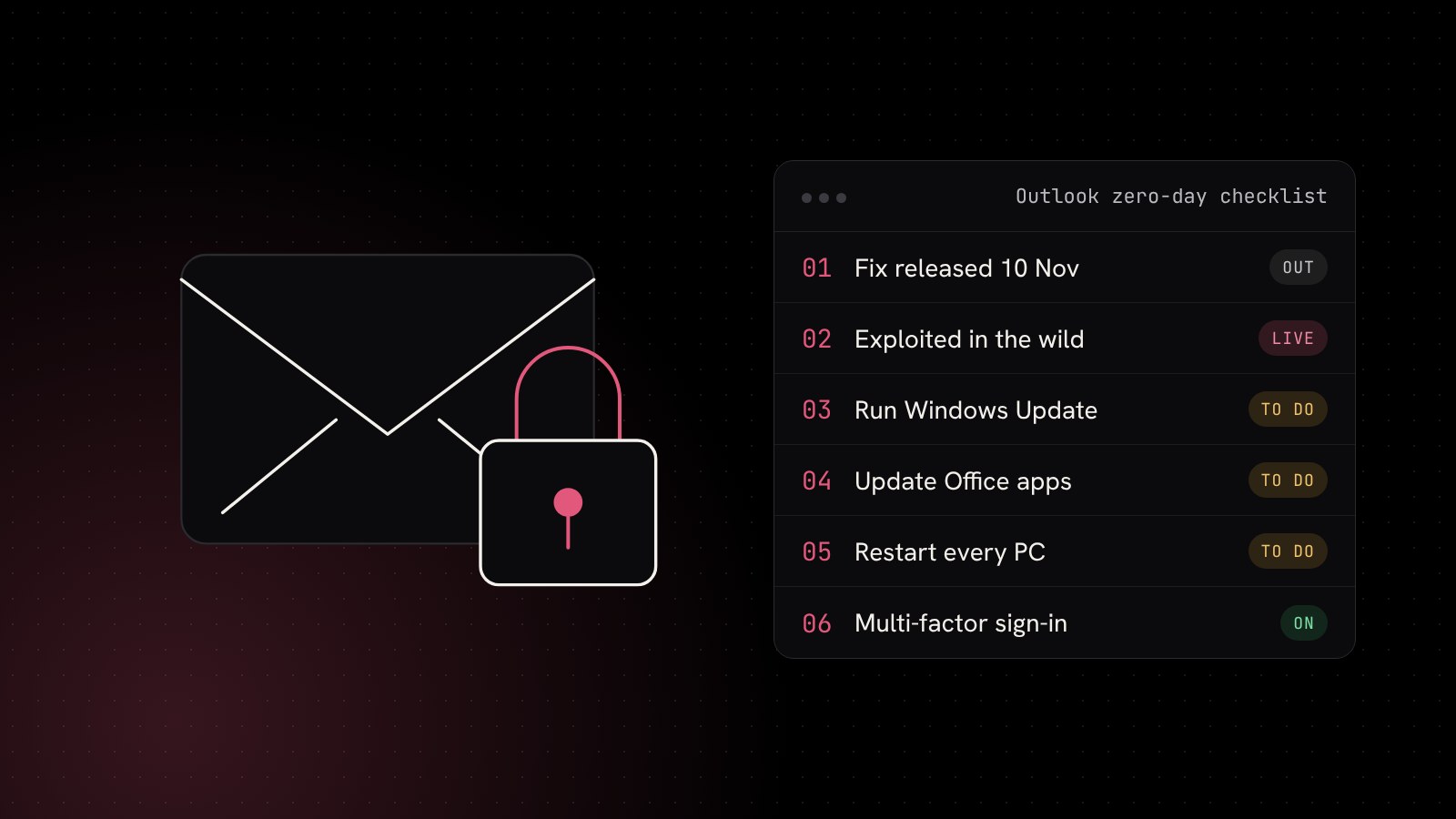
Your Outlook zero-day checklist
This takes less time than reading another news story about it.
1. Check every PC has updated
On each Windows PC, open Settings, Windows Update and click Check for updates. Install anything waiting and restart. Updates often download quietly but don't finish until the machine restarts, and plenty of laptops go weeks without a proper reboot.
2. Update Office too
Windows Update doesn't always handle Microsoft 365 Apps. Open Outlook, go to File, Office Account, Update Options and choose Update Now. Do the same on any shared or rarely used machines, such as the reception PC or the spare laptop in the cupboard.
3. Don't forget remote workers
Staff who work from home or on the road are the most likely to fall behind. A quick message asking everyone to restart and check for updates today costs nothing.
4. Remind staff about unexpected attachments
This attack starts with someone opening a file. A short reminder to be wary of attachments they weren't expecting, even from familiar names, is worthwhile. If something feels off, they should check with the sender by phone, not by replying to the email. Our security awareness training turns this into a habit.
5. Turn on multi-factor authentication everywhere
A stolen password is far less useful to an attacker if every login also needs a code or app approval. If you haven't switched on multi-factor authentication for Microsoft 365 and other business systems, do it now.
6. Ask your IT provider about NTLM protections
For businesses with a local network, file server or domain, there are settings that make stolen hashes much harder to reuse, such as requiring SMB signing and blocking outbound file sharing traffic to the internet. These need care to set up, so it's a job for whoever looks after your network.
Why a patch routine beats a panic
Zero-days grab headlines, but most successful attacks on businesses still use flaws that were fixed weeks or months earlier and simply never installed. The businesses that shrug off stories like this one are the ones with a routine: updates checked monthly, unsupported software replaced on time and someone keeping an eye on it all. Our earlier post on Windows 11 24H2 end of support covers the operating system side, and our 10 cyber security tips are a good next read.
How Blink Web can help
With 30+ years of combined experience supporting UK businesses, we can take patching off your plate:
- Managed IT helpdesk: we check and apply Windows and Office updates across your PCs every month and chase the stragglers.
- Microsoft 365 support: licensing, security settings and multi-factor authentication set up properly.
- Managed cyber security: 24/7 monitoring and endpoint protection that spots suspicious behaviour, even when a flaw is brand new.
- Ad-hoc IT support: a one-off check of your PCs with no contract.
- Free website security check: see how your email security and SSL look from the outside.
Not sure whether every machine in the office is up to date? Get in touch and we'll check for you.
Sources: Tenable: Microsoft's November 2026 Patch Tuesday addresses 1,093 CVEs, Rapid7: Patch Tuesday, November 2026.