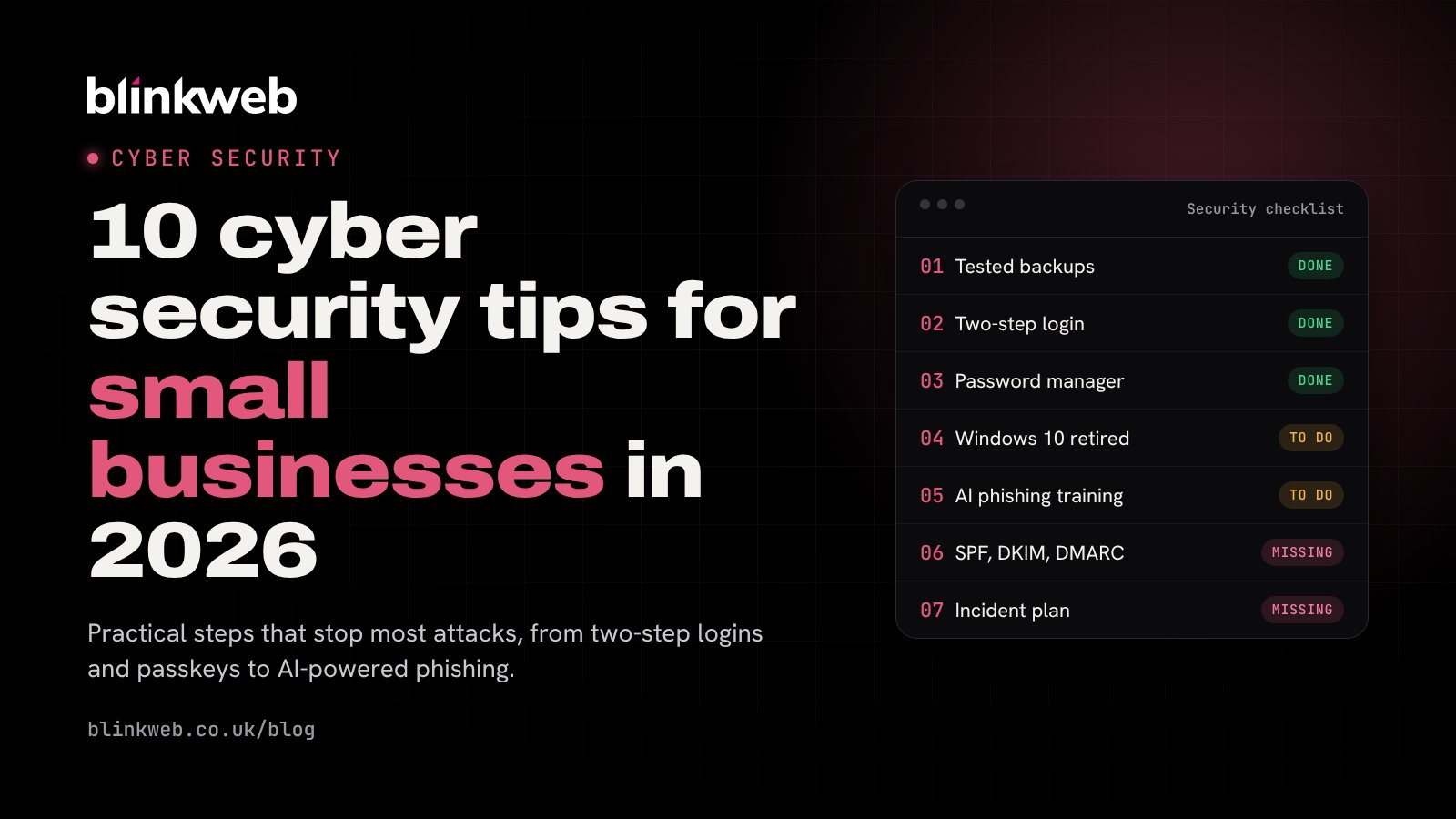
10 Cyber Security Tips for Small Businesses in 2026
Ten practical, up-to-date cyber security tips for UK small businesses, from backups and two-step logins to AI-powered phishing, email spoofing and old devices.
Small businesses are not too small to be targeted. The UK Government's latest Cyber Security Breaches Survey found that 43% of businesses had a cyber security breach or attack in the last 12 months, rising to 46% of small businesses. Phishing was by far the most common, hitting 38% of businesses.
Most of these attacks aren't personal. Criminals use automated tools to find easy targets, so a few sensible habits stop the majority of them. None of the tips below need a big budget, and most can be done this week.
1. Keep backups you've actually tested
Could your business keep trading if you lost every file and email tomorrow? Ransomware, a stolen laptop or one wrong click can all make that happen.
Follow the 3-2-1 rule: three copies of your data, on two different types of storage, with one copy kept off site or in the cloud. Make sure at least one copy can't be changed or deleted by someone who gets into your network, as modern ransomware goes after backups first.
Two things catch people out:
- Microsoft 365 isn't a backup. Microsoft keeps the service running, but deleted or encrypted emails and files can still be lost for good. A separate Microsoft 365 backup closes that gap.
- An untested backup is a guess. Try restoring a file every few months so you know it works before you need it.
2. Turn on two-step login everywhere
Two-step login (also called multi-factor authentication, or MFA) means a stolen password on its own isn't enough to get in. It's the single biggest improvement most small businesses can make.
Switch it on for email, Microsoft 365 or Google Workspace, banking, accounting software, your website and your domain registrar. Use an authenticator app or a passkey rather than text messages where you can, as text codes can be intercepted.
3. Use a password manager and passkeys
Reusing passwords is how one leaked password turns into a dozen compromised accounts. A password manager creates and remembers a strong, different password for every site, and warns you when one turns up in a data breach. Choose a reputable business password manager with a good security record, or use the one built into Apple, Google or Microsoft devices.
Where a site offers passkeys, use them. A passkey signs you in with your fingerprint, face or device PIN, can't be phished and means there's no password to steal.
4. Keep everything updated, and retire what can't be
Updates fix the security holes attackers look for. Turn on automatic updates for computers, phones, browsers, routers and website software.
Some devices can no longer be fixed at all. Windows 10 stopped receiving free security updates on 14 October 2025, so any PC still running it is getting more exposed every month. The same goes for old phones, tablets and routers that no longer get updates. Plan to replace or upgrade them rather than waiting for a problem.
5. Protect every device
Windows includes Microsoft Defender, which is good protection for most small businesses when it's switched on and kept up to date. Make sure every laptop and PC has disk encryption turned on (BitLocker on Windows, FileVault on a Mac), so a lost or stolen device doesn't mean lost data.
If your team uses phones for work email, set a screen lock and keep them updated. A device management tool such as Microsoft Intune lets you wipe company data from a lost phone.
6. Get wise to AI-powered phishing
Phishing emails used to be easy to spot by their poor spelling. Not any more. Criminals now use AI to write convincing, personalised messages, and even to clone a voice for a phone call that sounds like your director or a supplier.
A few simple rules help:
- Check payment changes by phone. If a supplier emails new bank details, call them on a number you already have, never one in the email.
- Slow down on urgent requests. Pressure ("pay this today", "your account will be closed") is a classic warning sign.
- Hover before you click. Check where a link really goes, and log in by typing the address yourself.
- Make it easy to report. Staff should feel comfortable flagging a suspicious email, even if they've already clicked it. Fast reporting limits the damage.
Regular, short security awareness training keeps this fresh for everyone.
7. Stop criminals sending email as you
Without the right settings, anyone can send an email that looks like it came from your domain, to your customers or your own staff. Three DNS records fix this:
- SPF lists the services allowed to send email for your domain.
- DKIM adds a digital signature to your emails.
- DMARC tells receiving mail servers what to do with emails that fail those checks.
Your email or IT provider can set these up in an afternoon. Our free website security check shows whether yours are in place.
8. Secure your Wi-Fi and remote working
Change the default password on your router, use WPA3 (or at least WPA2) encryption, and keep a separate guest network for visitors and smart devices. Update the router's software, or replace it if the manufacturer no longer supports it.
For staff working remotely, company data should live in secure cloud services or behind a properly configured business VPN, not in personal email or USB sticks. Be careful on public Wi-Fi, and never leave a laptop unlocked in a café or on a train.
9. Look after your website
Your website is often the first thing attackers probe. Keep WordPress, your theme and every plugin up to date, remove plugins you no longer use, and make sure your hosting runs a supported version of PHP (see our guide to PHP 8.2 reaching end of life). Use two-step login on your website admin, and keep regular backups.
Not sure where you stand? Run our free website security check, or let us handle it with WordPress maintenance.
10. Have a plan for when something goes wrong
Even well-protected businesses can be caught out. Write down a simple one-page plan:
- who to call (your IT support, bank and insurer)
- how to disconnect an affected device from the network
- where your backups are and how to restore them
- who needs to be told, including customers and, where personal data is involved, the ICO within 72 hours
The National Cyber Security Centre's free Small Business Guide is a great next step, and our incident response team can help if the worst happens.
Want a hand?
You can do all of the above yourself, and we hope this list helps. If you'd rather have someone take care of it, our managed cyber security service covers monitoring, device protection and staff training for a fixed monthly fee. Get in touch for a friendly, no-obligation chat.