WordPress 7.1.3 Security Update: What It Fixes and What to Do
WordPress has patched seven security flaws in its latest release. Here's what they mean in plain English for a small business website and a quick check to make sure you're covered.
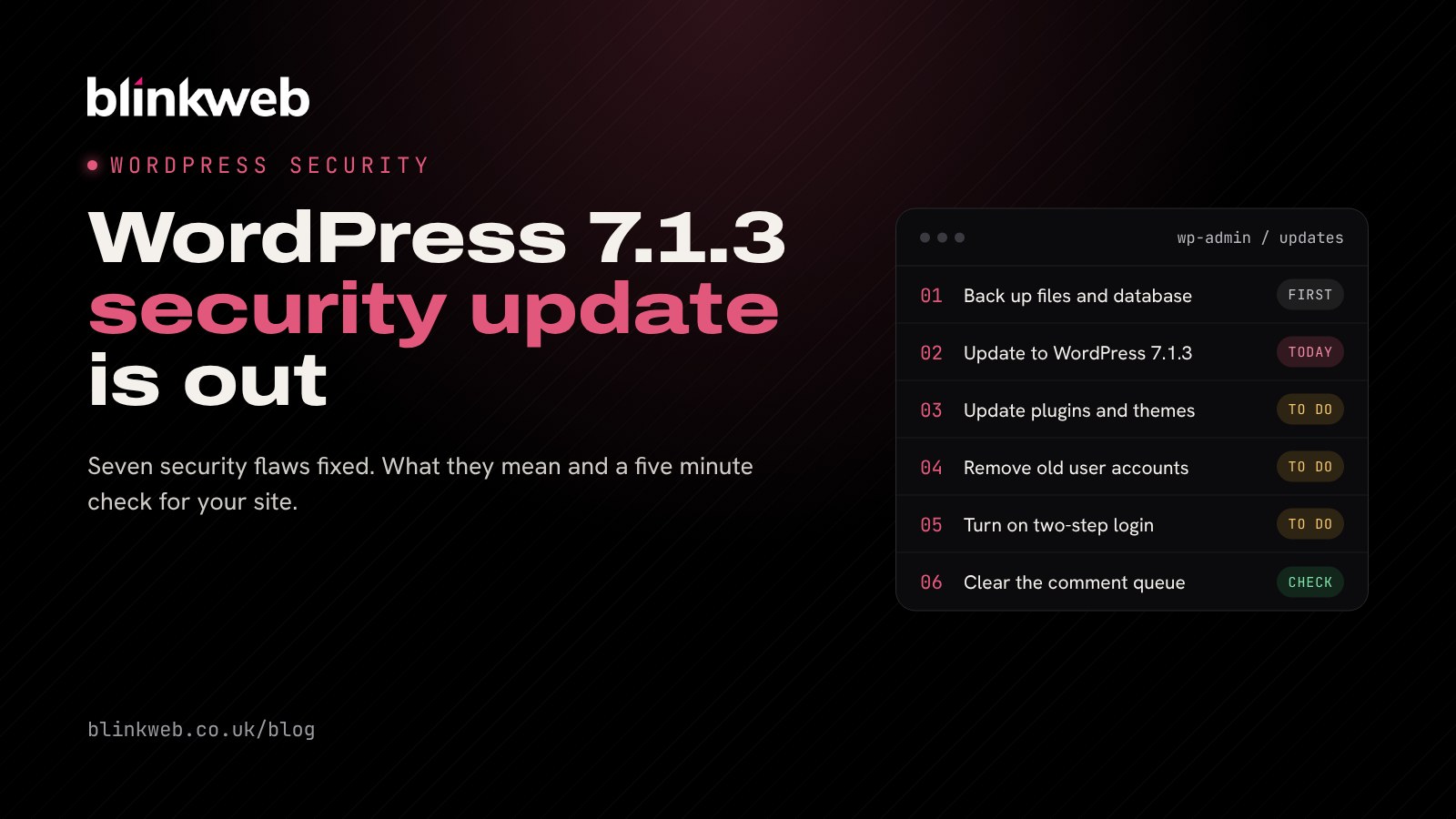
If your business website runs on WordPress, it should be on version 7.1.3 by the end of this week. The WordPress 7.1.3 security update came out on Tuesday 6 October 2026 and closes seven security holes, along with four ordinary bug fixes. Many sites will update themselves automatically, but plenty won't, and the only way to know is to look.
This one isn't cause for panic. It does, though, follow a critical security release only a fortnight ago, so if your site missed that one too, it's now two important updates behind.
What does the WordPress 7.1.3 update fix?
The official WordPress release notes list the seven issues briefly. Here's what each one means for a typical business site, in plain English:
| The flaw | What it means for you |
|---|---|
| Stored cross-site scripting (XSS) via pending comments | A booby-trapped comment could run code in the browser of whoever moderates comments |
| Cross-site scripting through Imgur embeds | A user with a Contributor login could slip unsafe code in via an embed, so Imgur is no longer a trusted embed source |
| SQL injection in the export tool | A flaw triggered when an administrator exports one type of content from the site |
| Comments on private posts exposed | Visitors who aren't logged in could read comments on private or unpublished posts |
| Authors could make posts "sticky" | Users with the Author role could pin posts, a job meant for Editors and above |
| Denial of service in URL handling | A user with a Contributor login could tie the site up so it stops responding |
| Forged hook parameters | A technical flaw that could let one action be mistaken for another |
How serious is it?
Most of these need a particular set of circumstances, such as a site that takes comments or has several people with logins. Security firm Patchstack sums it up well: this release "isn't a drop-everything emergency" (Patchstack's write-up).
The comment flaw is the one we'd pay most attention to, especially as Patchstack says the pending comment attack works on 7.1.0 to 7.1.2, the versions most up to date sites were running. Lots of small business sites still have comments switched on, often on old blog posts nobody checks, and the person most at risk is the site owner or office manager who logs in to approve them.
Did you install the WordPress 7.1.2 update?
On 22 September, WordPress released 7.1.2 to fix a vulnerability it rated as critical, and Cyber Kendra reports that attackers have been actively exploiting that flaw. Updating to 7.1.3 includes that fix as well, so one update covers both. If you find your site is still on 7.1.1 or earlier, update today and then check it for anything unusual (see the steps below).
Who needs to act?
- Sites with automatic updates working: WordPress says sites that support automatic background updates will start updating on their own. Still log in and confirm the version number, because automatic updates can fail silently on some hosting setups.
- Sites where updates were switched off: often done by a developer years ago to stop things breaking. These need updating by hand.
- Sites on older WordPress versions: fixes are being backported to older branches, as far back as 4.7, where needed. That buys time, but an old branch usually means old plugins and old PHP too, which is a bigger job worth planning. (Our post on PHP 8.2 reaching end of life explains why.)
Your quick WordPress security checklist
Here's what we'd do on any small business site today:
- Take a backup first. Make sure you have a recent copy of both the files and the database, stored away from the website itself. Most good hosts do this daily, but check you can find it.
- Check your version. Log in and go to Dashboard, then Updates. It should say you have WordPress 7.1.3. If not, click Update Now.
- Update plugins and themes too. Core updates get the headlines, but most hacked WordPress sites we clean up were let down by an out of date plugin.
- Tidy up user accounts. Remove old staff, past developers and anyone who doesn't need access. Give people the lowest role that does the job, and turn on two-step login for administrators.
- Clear out the comment queue. If you don't use comments, turn them off under Settings, then Discussion. If you do, be wary of anything strange sitting in moderation.
- Clear your cache. Patchstack points out that the update doesn't remove embeds WordPress has already stored, so empty your site's cache once you've updated.
Signs something's already wrong
If your site was behind on updates, look out for new administrator accounts you don't recognise, pages or links you didn't add, unexpected redirects or warnings from Google Search Console. Any of those deserves a proper look rather than a quick update.
Let us keep your WordPress site up to date
Keeping WordPress patched is a small job that's easy to forget, right up until it isn't. With 30+ years of combined experience looking after business websites, we can help:
- WordPress maintenance from £27.50 a month: core, plugin and theme updates, daily backups and uptime monitoring, done for you and tested.
- UK web hosting with free SSL, daily backups and firewall protection, so updates and security aren't left to chance.
- Penetration testing if you'd like an ethical hacker to check how your site would stand up to a real attack.
Want a quick view of where your site stands? Run our free website security check and we'll email you a report on your SSL, security headers and email security. Or contact us and we'll check your WordPress version and plugins for you.
Sources: WordPress.org: WordPress 7.1.3 Maintenance and Security Release, WordPress.org: release announcements, Patchstack: WordPress 7.1.3 Security Release, Cyber Kendra: WordPress 7.1.3 fixes SQL injection and stored XSS flaws.