Exchange Web Services Retirement: Is Your Email App Affected?
Microsoft has started switching off an old connection that some email apps, backup tools and add-ons still rely on. Here's how to tell if your business uses it and what to change.
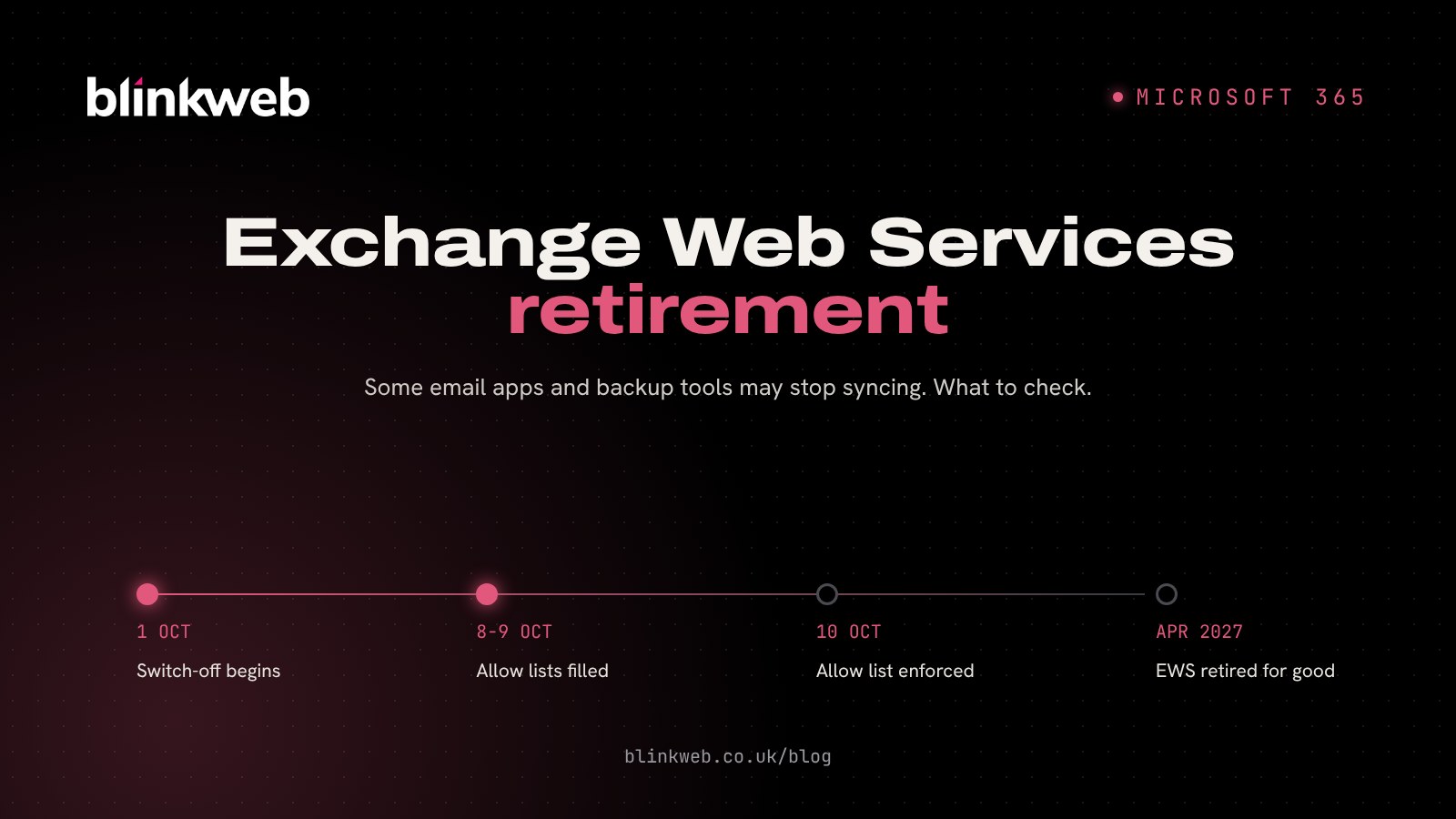
If someone in your business reads their work email in Apple Mail, runs a Microsoft 365 backup tool or has a CRM that syncs with Outlook, this one is worth ten minutes of your time. The Exchange Web Services retirement in Microsoft 365 began on 1 October 2026. Microsoft is now switching off this older connection across Exchange Online, a tighter rule follows from 10 October and it disappears completely on 1 April 2027.
For most staff using Outlook on Windows, the web or their phone, nothing will change. The risk sits with the extra apps and services plugged into your mailboxes, often set up years ago and long forgotten, which can simply stop syncing without much warning.
What is Exchange Web Services (EWS)?
Exchange Web Services, usually shortened to EWS, is a way for apps to talk to your Exchange mailbox: reading email, adding calendar entries, syncing contacts and so on. It dates back to Exchange Server 2007. Microsoft stopped adding features to it in 2018 and now points app makers to its newer connection, Microsoft Graph, saying EWS no longer meets today's security needs.
Think of EWS as an old side door into your mailbox. Microsoft is bricking it up, and anything that still uses that door needs to come in through the front instead.
What changes, and when?
| Date | What happens |
|---|---|
| From 1 October 2026 | Microsoft starts turning EWS off, organisation by organisation, for Microsoft 365 accounts still on the default setting |
| 8 to 9 October 2026 | For organisations that have chosen to keep EWS on, Microsoft fills in an allow list based on the apps seen using it in the previous 60 days |
| From 10 October 2026 | Only apps on that allow list can use EWS. Switching EWS on is no longer enough by itself |
| 1 April 2027 | EWS is retired for good, with no exceptions |
This only affects Exchange Online, the email side of Microsoft 365. If you still run your own Exchange server in the office, its EWS isn't part of this change (though an on-site Exchange server brings its own questions about support and security).
Which apps could stop working?
Nobody can give you a definitive list for your business without checking, but these are the kinds of tools that commonly rely on EWS:
Email and calendar apps
- Apple Mail, Calendar and Contacts on a Mac, when set up as an Exchange account
- Desktop email apps such as Thunderbird and eM Client
- Calendar apps such as Fantastical or BusyCal on a Mac
- Classic Outlook for Mac, according to Windows Report's coverage of Microsoft's notice
Backup tools
This is the one that worries us most. Several Microsoft 365 backup products have used EWS to copy mailboxes. Veeam, for example, warns in its support article on the retirement that "Exchange Online mailbox backups will fail" if EWS is blocked before its move to Microsoft Graph is complete.
A failed backup rarely announces itself. You find out on the day you need to restore something.
Business software and add-ons
- CRM, booking and practice management systems that sync email or calendars
- Older email archiving tools
- Spreadsheets and reports that pull data from Exchange through Excel Power Query or Power BI
- Power Automate flows and scripts written for you years ago
How to check if your business uses EWS
You'll need someone with admin access to your Microsoft 365 account:
- Look at the EWS usage report. In the Microsoft 365 admin centre, go to Reports, then Usage, and find the Exchange Web Services report. Microsoft links to it from its EWS deprecation guidance.
- Make a list of what you find. The report shows app IDs rather than friendly names, so you may need to look them up or ask your IT partner to.
- Ask your software suppliers. Email the companies behind your CRM, backup and archiving tools and ask: "Do you use EWS with Microsoft 365, and when do you move to Microsoft Graph?"
- Check the people on Macs. Anyone using the built-in Mail app for work email should move to the current version of Outlook, which connects through Microsoft Graph instead.
- Test your backups. Restore one email from your Microsoft 365 backup this week. If it works, great. If it errors, you know where to start.
Can you keep EWS on for a while?
Yes, until 1 April 2027. An administrator can switch EWS back on for your organisation and add the specific apps you still need to the allow list. That's a sensible stopgap while a supplier finishes moving to Microsoft Graph, but it's borrowed time. Any app on that list still needs replacing or updating before April.
What we'd suggest for a small business
Keep it simple. Switch staff who use Apple Mail or other third party email apps to the current Outlook app. Confirm your backup is working and ask your backup provider about Microsoft Graph. Then list any other software that touches your mailboxes and get a firm answer from each supplier. In most small offices we'd expect only one or two things to need attention, but those can cause a lot of disruption if they fail unnoticed.
If you're also replacing Office 2021 this month, it's a good moment to do both together. Our guide to Office 2021 end of support covers that side.
How Blink Web can help
With 30+ years of combined experience looking after UK business IT, we can take this off your hands:
- Microsoft 365 support: we'll run the EWS usage report, identify each app, set up a temporary allow list where it's needed and move people over to Outlook.
- Backup and recovery: Microsoft 365 backups we monitor, with restores we actually test, so a change like this can't leave you without a copy of your email.
- Ad-hoc IT support: a one-off check of your setup with no contract.
- Managed IT helpdesk: if you'd rather we kept an eye on Microsoft's changes for you every month.
You can also run our free website security check to see how your domain's email security records look. Or get in touch and we'll tell you in plain English whether EWS affects your business and what to do before 10 October.
Sources: Microsoft Learn: Deprecation of Exchange Web Services in Exchange Online, The Register: Exchange Web Services enters the final stretch, Windows Report: Microsoft tightens Exchange Online EWS access on October 10, LazyAdmin: EWS is being blocked in Exchange Online, Veeam KB4820: What Microsoft's EWS retirement means for your Veeam backups, University of Colorado Boulder OIT: Microsoft retires EWS API.