PHP 8.2 Reaches End of Life on 31 December 2026: What You Need to Do
PHP 8.2 stops receiving security updates on 31 December 2026. Here's what that means for your website, which version to move to and how to upgrade safely.
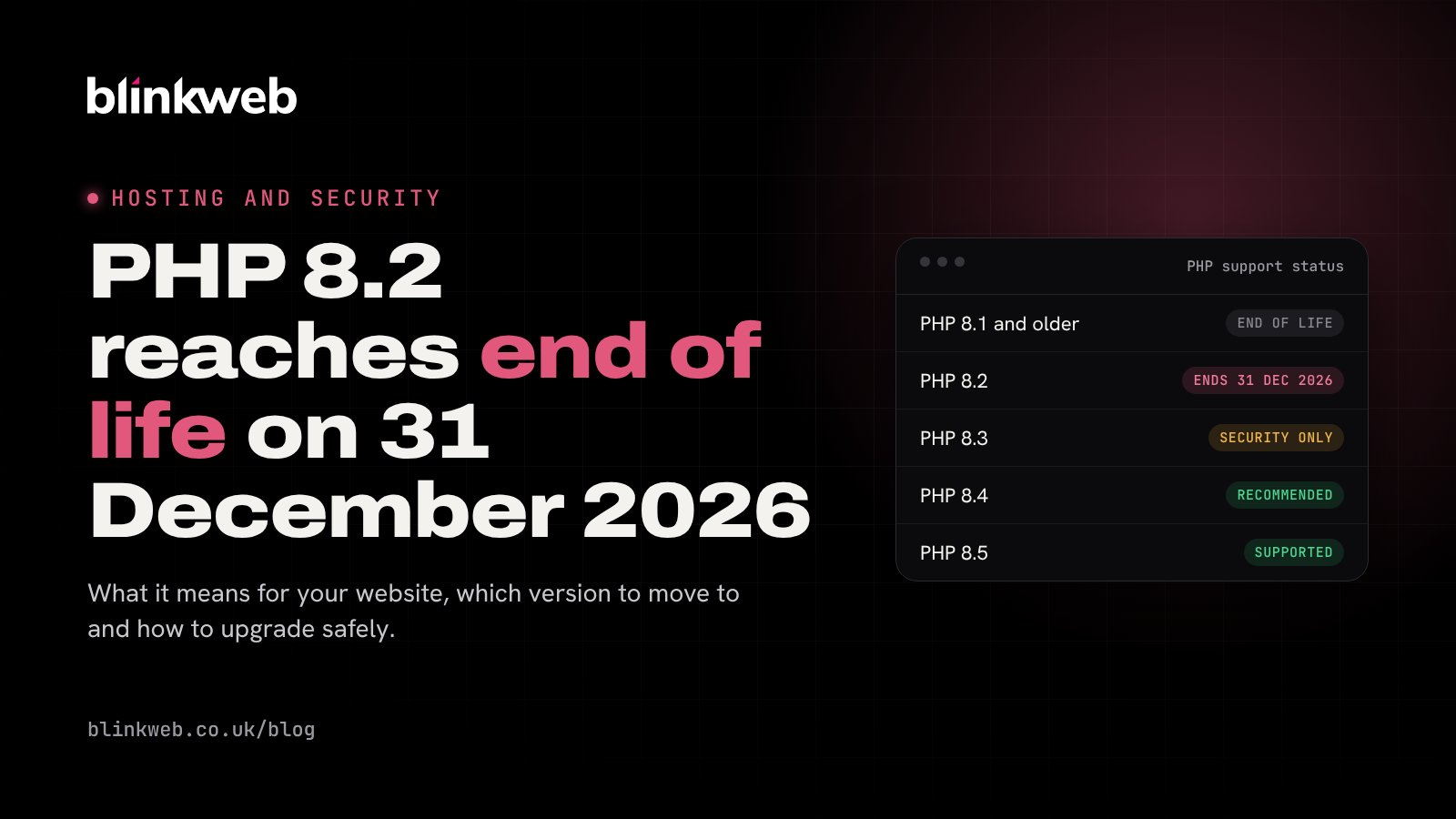
PHP 8.2 will stop receiving security updates on 31 December 2026. If your website runs on it, now is the time to plan your upgrade, so you're not running unpatched software into the new year.
What is PHP and why does the version matter?
PHP is the programming language behind WordPress and many other websites. Each version is supported for around four years: two years of active support with regular fixes, then two years of security-only fixes. After that it reaches end of life and gets no updates at all, even if a serious security hole is found.
Here's where each version stands, according to the official PHP support timeline:
| PHP version | Status | Security fixes until |
|---|---|---|
| 8.1 and older | End of life | No longer supported |
| 8.2 | Security fixes only | 31 December 2026 |
| 8.3 | Security fixes only | 31 December 2027 |
| 8.4 | Fully supported | 31 December 2028 |
| 8.5 | Fully supported | 31 December 2029 |
Which version should I move to?
For most websites we recommend PHP 8.4. It's fully supported, faster than older versions and has security fixes until the end of 2028. PHP 8.3 is fine as a stepping stone if a plugin isn't ready for 8.4 yet, but you'll need to move again within a year.
If your site is still on PHP 8.1 or older, it's already out of support and should be upgraded as a priority.
How to check your PHP version
- WordPress: go to Tools > Site Health > Info > Server. It's also listed under Site Health's status checks.
- cPanel: look for "Select PHP Version" or "MultiPHP Manager" in the Software section.
How to upgrade safely
- Take a full backup of your files and database, and make sure you can restore it.
- Update everything first. Update WordPress, your theme and every plugin to their latest versions. Most compatibility problems come from out-of-date add-ons.
- Remove what you don't use. Delete inactive plugins and themes, and replace any that haven't been updated in the last year.
- Test on a staging copy if you have one. Many hosting control panels and maintenance plugins can create a copy of your site to test on.
- Change the PHP version. In cPanel, open "Select PHP Version" (or "MultiPHP Manager"), choose 8.4 and save.
- Check your site. Browse the main pages, test your contact forms and, if you have a shop, place a test order. If anything breaks, switch back to the previous version and contact your developer or host.
What if I don't upgrade?
Your site will usually keep working on the day support ends, which is why it's easy to put off. But from then on, any new security flaw in PHP 8.2 will stay unfixed, leaving your website, your data and your customers' data exposed. Plugin developers also gradually stop supporting old PHP versions, so updates will eventually stop installing.
Can you do this for me?
Yes. Clients on our WordPress maintenance plans don't need to do anything: we test and move your site to a supported PHP version as part of your plan. If you host with us without a maintenance plan, get in touch and we'll help.
Not sure what your site is running? Our free website security check reports on out-of-date software, and on our UK cloud hosting you can choose your PHP version from the control panel.