
Critical PHP Security Flaws Allow Remote Code Execution: Update Your Website Now
Updated 21 October: PHP has released 8.5.12, 8.4.27, 8.3.36 and 8.2.35 to fix two critical flaws that let attackers run code on a server without logging in. Here's who's at risk and how to update.
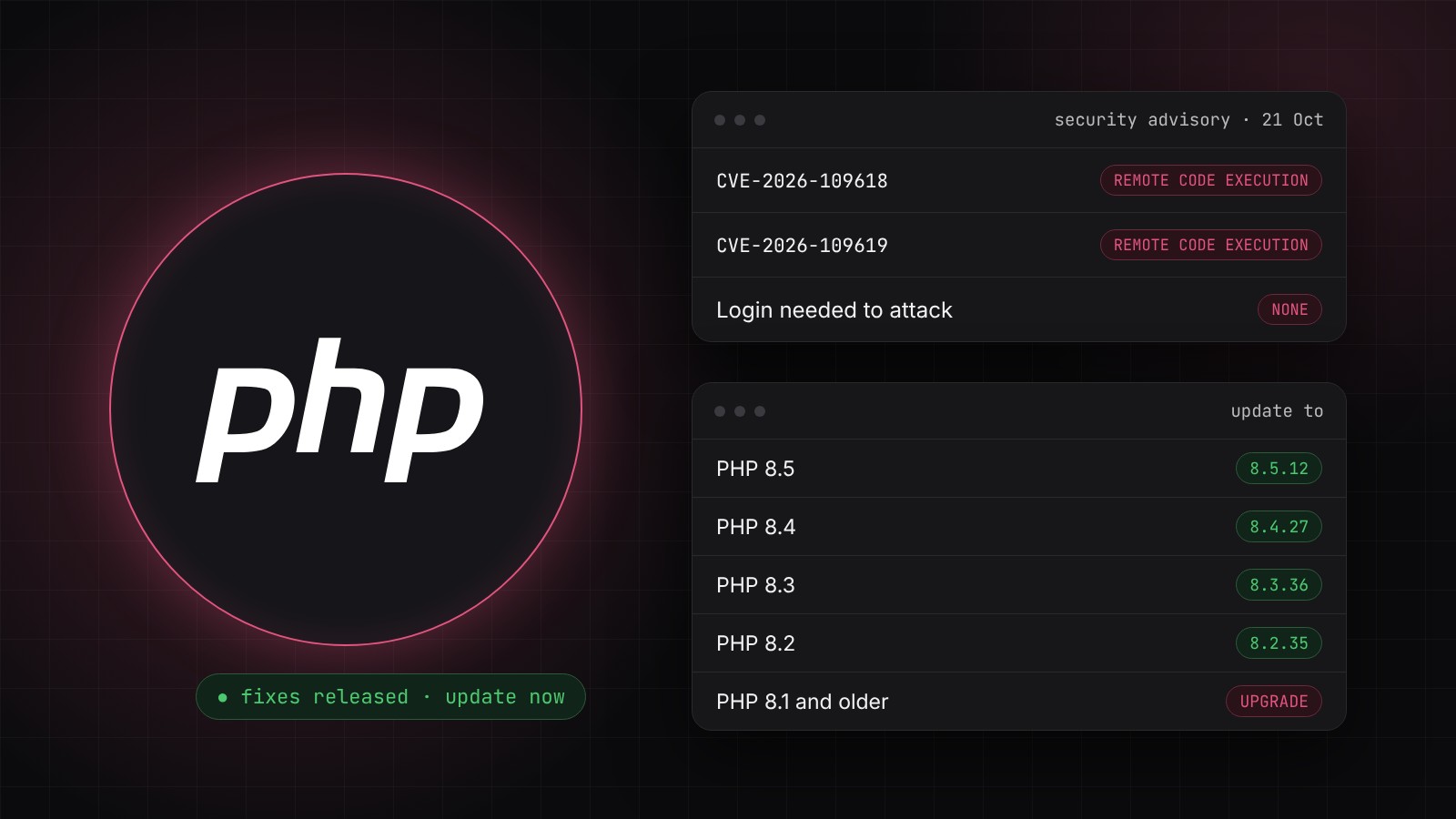
Updated Wednesday 21 October 2026 at 4:45pm (UK time): PHP has now released the fixes and published full details. The two vulnerabilities allow unauthenticated remote code execution, which means an attacker could run their own code on a web server without logging in. Update to PHP 8.5.12, 8.4.27, 8.3.36 or 8.2.35 immediately. This post has been rewritten with the new details.
Originally published Tuesday 20 October 2026, ahead of the release.
PHP has released urgent security updates fixing two critical vulnerabilities that can let attackers take over a web server without logging in. The PHP team is telling all users to "update immediately", and so are we.
PHP powers WordPress, WooCommerce and a large share of the world's websites. If you have a website, there's a very good chance it runs PHP.
Not sure if your website is affected? Run our free website security check. If your server shows its PHP version, the report tells you straight away whether it's one of the vulnerable versions, along with any other security gaps it finds.
What has PHP announced?
On Tuesday 20 October, PHP took the rare step of warning everyone a day in advance that a critical security release was coming. On Wednesday 21 October it published the fixes along with a security advisory. Both vulnerabilities, which PHP rated CVSS 9.2 out of 10 in its advance notice, can allow unauthenticated remote code execution (RCE).
In plain English, an attacker can send a specially crafted request to a website and potentially run their own code on the server, without a password or account. PHP says that on servers using Apache with mod_php, it has seen a working attack that triggers "before any application code runs". That means your website's own security, such as WordPress login protection or security plugins, can't stop it.
The fixed versions
| Your PHP version | Update to |
|---|---|
| PHP 8.5 | 8.5.12 |
| PHP 8.4 | 8.4.27 |
| PHP 8.3 | 8.3.36 |
| PHP 8.2 | 8.2.35 |
| PHP 8.1 and older | No official update. Upgrade to a supported version (see below) |
Who is at risk?
According to PHP, all PHP installations serving web requests are at risk, including:
- PHP-FPM, the most common setup on modern hosting
- Apache with mod_php, which PHP considers the highest risk
- php-cgi
- FrankenPHP
- LiteSpeed, used by many shared hosting companies
In practice, that's almost every WordPress, WooCommerce, Joomla, Drupal, Magento and custom PHP website, plus hosting control panels and billing systems.
The two vulnerabilities
For those who want the technical detail, PHP has published two advisories:
- CVE-2026-109618, remote code execution via out-of-memory corruption (GHSA-w8hw-w9fx-j79w). If PHP runs out of memory at the wrong moment while setting up a request, its clean-up process can treat half-prepared internal data as valid.
- CVE-2026-109619, remote code execution via stale global state (GHSA-6wmf-4rv5-p3rp). Data belonging to one request can survive after its memory has been freed, and the next request handled by the same PHP worker may use it before it's reset.
Both are attacks on PHP itself, not on WordPress or plugins, so keeping your website software up to date won't protect you on its own.
What are the risks of not updating?
Now that the details are public, attackers will be studying the fixes and building tools to find servers that haven't updated. With a remote code execution flaw, a successful attack can lead to:
- Your website being taken over, with spam pages, redirects or malware added
- Customer data being stolen, such as contact details, orders or logins
- Your server being used to send spam, mine cryptocurrency or attack other websites
- Other websites on the same server being affected
- Google and browsers blacklisting your site, showing visitors a red warning instead
- A personal data breach that may need reporting to the ICO within 72 hours
The window between a critical fix being released and automated attacks starting is often days or even hours. Please don't leave this until next week.
How to update PHP: step by step
1. Find out which PHP version you're running
- WordPress: go to Tools > Site Health > Info > Server and look for "PHP version".
- cPanel: look for Select PHP Version or MultiPHP Manager.
- Your own server: run
php -von the command line. - From the outside: our free website security check flags a vulnerable PHP version if your server shows it. Many servers hide it, so if the report can't tell, check one of the ways above.
The full version number matters. For example, PHP 8.4.26 is vulnerable and 8.4.27 is fixed.
2. Take a backup
Back up your website files and database first, so you can restore quickly if anything goes wrong.
3. If you use shared or managed hosting
Your hosting company should be applying these updates now. PHP gave Linux distributions and long-term support vendors the patches in advance, so updated packages should already be available to them. Contact your host and ask them to confirm, in writing, that your server is running one of the fixed versions.
4. If you manage your own server or VPS
Install the updated packages from your Linux distribution, then restart PHP and your web server. On Ubuntu or Debian:
sudo apt update
sudo apt upgrade
sudo systemctl restart php8.4-fpm
Replace 8.4 with your PHP version, restart Apache too if you use mod_php, and check the result with php -v.
A few things PHP specifically points out:
- Check every PHP version on the server, not just the default one. Panels such as cPanel/WHM, Plesk and RunCloud often have several versions installed side by side.
- If you use the Remi repository (
rpms.remirepo.net), PHP says it won't have updates today and recommends switching to your distribution's own packages or building from source. - Source code and Windows downloads for the fixed versions are on the PHP downloads page.
5. Test your website
- Load your homepage and key pages
- Test contact forms, checkout and logins
- Clear your caching plugin and CDN cache
- Check your error logs for anything new
Still on PHP 8.1 or older?
PHP 8.1 and older no longer receive updates from the PHP project. Because these flaws are so serious, the PHP team has published minimal source code fixes for PHP 7.4, 8.0 and 8.1 to help people who build PHP themselves, and some Linux distributions and long-term support vendors may provide patched packages.
For most websites, though, the right answer is to upgrade to a supported version, ideally PHP 8.4. Bear in mind that PHP 8.2 itself reaches end of life on 31 December 2026. Our guide to PHP 8.2 reaching end of life explains how to upgrade safely.
Can't update straight away?
PHP is clear that only updating fully fixes the problem, and that the measures below "do not make an installation safe". If you need a few hours to arrange the update, your developer or server administrator can reduce the risk by:
- Setting
session.upload_progress.enabled=0in php.ini or the PHP-FPM pool and restarting every PHP worker - On PHP 8.5, setting
fatal_error_backtraces=0and restarting every worker - Lowering
post_max_size, to 8M for sites without uploads or 32M if uploads are needed, withupload_max_filesizeset below it - Limiting request sizes at the web server or proxy
The PHP advisory lists further measures and the exact settings. These need care, as some can affect how your website works, so we'd recommend leaving them to someone experienced and updating as soon as you can.
Need a hand?
If we maintain your website, we're on it and you don't need to do anything. We'll update the servers and check your site is working properly afterwards.
If we don't look after your website yet and you'd rather someone else took care of it, our WordPress maintenance and managed VPS hosting services include security updates as standard. You can also run our free website security check for a quick health check of your site.
Get in touch or call us on 03303 410 910 and we'll help you get updated safely.
Sources
- PHP: Security advisory: Critical remote code execution vulnerabilities, update now (21 October 2026)
- PHP: Upcoming Critical PHP Security Release (20 October 2026)
- GitHub: GHSA-w8hw-w9fx-j79w (CVE-2026-109618)
- GitHub: GHSA-6wmf-4rv5-p3rp (CVE-2026-109619)
- PHP: Supported versions


