How to Optimise Your Website for AI Search in 2026
Is SEO dead now people ask ChatGPT and Google's AI? No, but it has changed. Here's how to get your website found and cited by AI search, backed by what Google, Microsoft, OpenAI and others actually say.
More of your customers are getting answers from AI before they ever see a list of websites. Ofcom's latest Online Nation research found that around 30% of searches now show an AI Overview, and 53% of UK adults say they often see them. ChatGPT had 1.8 billion UK visits in the first eight months of 2025, up from 368 million a year earlier.
So how do you make sure your business is the one those AI answers mention? Below we cut through the hype, using what Google, Microsoft, OpenAI, Anthropic and Perplexity actually say in their own documentation.
Is traditional SEO dead?
No. In fact, it's the foundation everything else is built on.
Google's own guidance on AI features and your website is very clear: "There are no additional requirements to appear in AI Overviews or AI Mode, nor other special optimizations necessary." To be shown as a supporting link, a page simply has to be indexed and eligible to appear in Google Search with a snippet. There's no special AI schema and no secret file.
The same pattern holds elsewhere. Most AI search tools find pages by searching the web first, then summarising what they find. If search engines can't find, crawl and understand your website, AI tools can't either.
What has changed is how people use the results. Instead of ten blue links, they often get an answer with a handful of sources. Being one of those sources is the new goal, and that takes good SEO plus a few extra habits. Google has also said that clicks from AI Overviews tend to be higher quality, with visitors more likely to spend time on the site.
Get the basics right, then add AI optimisation on top
Think of it as two layers. Skip the first and the second won't work.
Layer one: the SEO basics
- Make sure search engines can crawl and index your pages, with nothing blocked by mistake in robots.txt, your CDN or security plugin
- Clear page titles and descriptions, with one main topic per page
- Fast, mobile-friendly pages with a good page experience
- Important information written as text, not hidden in images or PDFs
- Sensible internal links so every important page can be reached
- An up-to-date XML sitemap, submitted to Google Search Console and Bing Webmaster Tools
- Accurate structured data that matches what's visible on the page
Layer two: AI optimisation
- Write answer-first content that responds to the questions your customers actually ask
- Let the AI search crawlers in (more on that below)
- Keep your business details identical everywhere they appear
- Back up claims with facts, figures, examples and sources
- Keep key pages fresh and dated
If you're not sure how your basics stack up, our free SEO health check checks up to 20 pages and emails you a plain English report.
What do you do differently from traditional SEO?
Traditional SEO was largely about ranking a page for a keyword. AI search is about being the source an AI trusts enough to quote. In practice that means a few changes:
| Traditional SEO | AI search optimisation |
|---|---|
| Ranking for a keyword | Being cited in an answer |
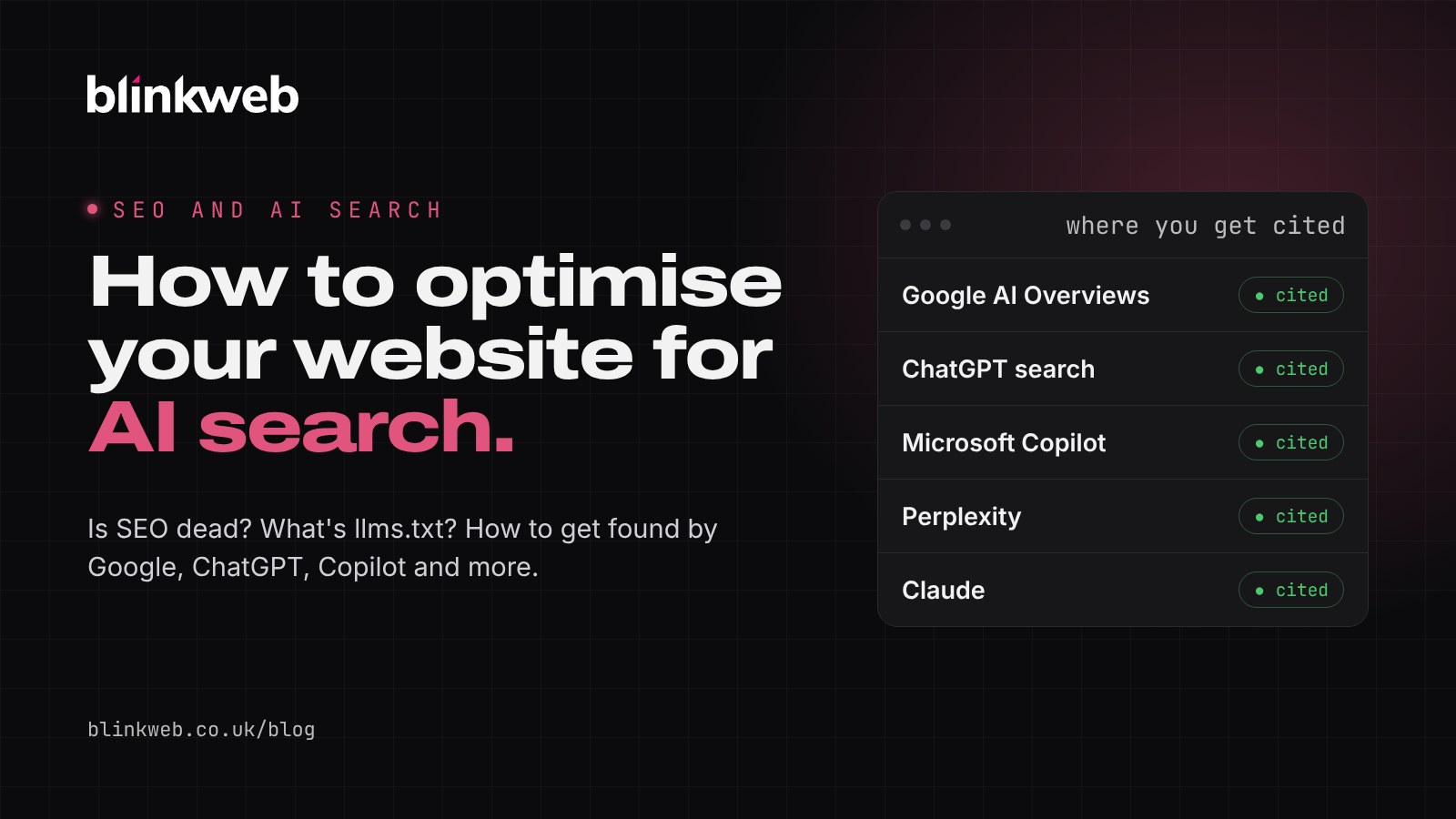
| One search engine (usually Google) | Google, ChatGPT, Copilot, Perplexity, Claude and more |
| Keyword-focused pages | Clear answers to real questions |
| Googlebot access | Search crawlers from each AI provider allowed |
| Clicks and rankings | Citations, mentions and quality of visits |
Write for questions, not keywords. People type short phrases into Google but ask AI tools full questions, like "who can fix a leaking boiler in Eastleigh on a Sunday?" Put a short, direct answer near the top of the page, then the detail below. Use clear headings that match how people phrase the question.
Structure helps machines too. Microsoft's Bing team says that "clear headings, tables, and FAQ sections help surface key information" so AI systems can reference it accurately. Bing also recommends supporting claims with examples, data and sources, and keeping content updated.
Be consistent about who you are. AI tools piece together a picture of your business from your website, Google Business Profile, Bing Places, directories and reviews. Use the same business name, address, phone number and description of your services everywhere. Bing specifically recommends keeping Bing Places for Business up to date, and Google recommends keeping your Business Profile current.
Say something original. Google's top tip for AI search is to focus on unique, valuable content for people. An AI can already summarise generic advice. What it can't get anywhere else is your prices, your process, your case studies, your local knowledge and your opinion. That's what gets cited.
Optimise for all AI tools, not just ChatGPT
It's tempting to focus only on ChatGPT, but your customers use different tools, and each one finds websites in its own way. The good news is that the same strong website works for all of them. You just need to make sure none of them are locked out.
| AI tool | How it finds websites | What to check |
|---|---|---|
| Google AI Overviews and AI Mode | Google's normal search index | Indexed in Google, eligible for snippets, Search Console set up |
| ChatGPT search | OpenAI's OAI-SearchBot crawler | OAI-SearchBot allowed in robots.txt |
| Microsoft Copilot | Bing's search index | Bing Webmaster Tools set up, sitemap submitted, IndexNow if possible |
| Perplexity | PerplexityBot crawler | PerplexityBot allowed in robots.txt |
| Claude | Claude-SearchBot crawler | Claude-SearchBot allowed in robots.txt |
A few things worth knowing:
- OpenAI says plainly that "sites that are opted out of OAI-SearchBot will not be shown in ChatGPT search answers". Its separate GPTBot crawler is used for training AI models, so you can block GPTBot and still allow OAI-SearchBot if you prefer.
- Anthropic runs three bots for Claude. Blocking Claude-SearchBot "may reduce your site's visibility and accuracy in user search results", while ClaudeBot is used for training.
- Perplexity says PerplexityBot is used to surface websites in its answers and is not used to train AI models.
- Google-Extended controls whether your content is used to train Google's Gemini models. It doesn't affect whether you appear in Google Search, including AI Overviews.
- Bing recommends IndexNow, which instantly tells Bing and other participating search engines when you add or update a page, so AI answers use your latest information.
Here's a simple robots.txt that welcomes the main AI search crawlers while keeping a private area blocked:
User-agent: *
Disallow: /admin/

User-agent: OAI-SearchBot
User-agent: Claude-SearchBot
User-agent: PerplexityBot
User-agent: Bingbot
Allow: /
Disallow: /admin/

Sitemap: https://www.yourbusiness.co.uk/sitemap.xml
One common trap: some security plugins, firewalls and CDNs block unfamiliar bots automatically. Google specifically mentions checking that your hosting and CDN allow crawling, not just your robots.txt.
What is llms.txt and how do you write one?
llms.txt is a proposed standard, suggested by Jeremy Howard in September 2024, for giving AI tools a short, clean guide to your website. It's a plain Markdown file that sits at the root of your site, for example yourbusiness.co.uk/llms.txt. You can see the full proposal at llmstxt.org.
According to the proposal, the file follows a simple structure:
- A heading (H1) with your business or site name. This is the only required part.
- A short summary in a blockquote, starting with
>. - Optional notes with useful detail, such as where you're based and how to contact you.
- Sections (H2 headings) listing your key pages as links, each with a short description.
- An "Optional" section for less important pages that an AI can skip.
Here's an example for a local business:
# Smith & Sons Plumbing

> Family-run plumbing and heating company in Eastleigh, Hampshire,
> offering boiler servicing, repairs and bathroom installations.

- Gas Safe registered. Serving Eastleigh, Southampton and Winchester.
- Phone: 023 8049 6000
- Emergency call-outs 7 days a week.

## Services

- [Boiler servicing](https://www.yourbusiness.co.uk/boiler-servicing/): annual servicing from £85, all major brands.
- [Emergency repairs](https://www.yourbusiness.co.uk/emergency/): same-day call-outs for leaks and breakdowns.
- [Bathroom installations](https://www.yourbusiness.co.uk/bathrooms/): design and fitting, typically 5 to 10 days.

## Company

- [About us](https://www.yourbusiness.co.uk/about/): family business since 1998.
- [Contact](https://www.yourbusiness.co.uk/contact/): phone, email and enquiry form.

## Optional

- [Blog](https://www.yourbusiness.co.uk/blog/): heating tips and news.
Should you bother? Be realistic about it. Google's John Mueller said in June 2025 that "no AI system currently uses llms.txt", noting that AI crawlers in server logs weren't requesting the file. Google's own guidance confirms you don't need any special AI files to appear in AI Overviews.
Our view: llms.txt takes ten minutes to write, does no harm and may become more useful as AI agents develop. It's a nice extra, but it won't make up for a website with weak content or crawling problems. Do the basics first. You can see our own llms.txt as a working example.
How to test how visible your website is on AI tools
There's no single "AI ranking" to check, so use a mix of these:
- Ask the AI tools directly. Write down five to ten questions a real customer would ask, such as "best wedding photographer in Winchester" or "how much does a website cost for a small business in Hampshire". Ask them in Google (look at the AI Overview and AI Mode), ChatGPT, Copilot, Perplexity, Claude and Gemini. Note whether you're mentioned, cited or linked, and who appears instead. Repeat monthly, as answers change.
- Check Google Search Console. Clicks and impressions from AI Overviews and AI Mode are included in the Performance report under the "Web" search type, so keep an eye on the queries and pages that gain or lose visibility.
- Use Bing Webmaster Tools' AI Performance report. Launched in February 2026, it shows how often your pages are cited in Microsoft Copilot and Bing's AI summaries, which pages are cited and the queries behind them. It's free and currently the most direct measure of AI citations available.
- Look at your analytics. In Google Analytics, check referral traffic from sites like chatgpt.com, perplexity.ai, copilot.microsoft.com and claude.ai.
- Check your server logs or hosting stats for visits from OAI-SearchBot, Claude-SearchBot, PerplexityBot and Bingbot. If they never appear, something may be blocking them.
- Test your robots.txt. Open
yourwebsite.co.uk/robots.txtand make sure you're not accidentally blocking the bots you want.
Simple steps you can take today
You don't need a big budget to start. Here's a practical checklist:
- Check your robots.txt allows Googlebot, Bingbot, OAI-SearchBot, Claude-SearchBot and PerplexityBot.
- Set up Google Search Console and Bing Webmaster Tools, and submit your sitemap to both. Many businesses forget Bing, which powers Copilot.
- Claim and update your Google Business Profile and Bing Places listing with identical details.
- Add a short, direct answer to the top of your most important service pages: what you do, where, for whom and roughly what it costs.
- Add an FAQ section to key pages using the questions customers really ask you on the phone.
- Use clear headings, lists and tables so information is easy to pick out.
- Add facts and proof: prices, timescales, accreditations, case studies and reviews.
- Keep pages fresh and update them when prices, services or opening hours change.
- Add an llms.txt file as a quick extra once the basics are done.
- Test your visibility monthly by asking AI tools your customers' questions.
Want a hand?
AI search is moving quickly, but the businesses that do well are the ones with fast, clear, trustworthy websites that answer real questions. That's what good SEO has always been about.
Start with our free SEO health check, or find out whether your content reads as AI-written with our free AI website detector. For more on Google specifically, read our guide to getting picked for Google AI Overviews links.
If you'd rather we took care of it, our SEO service covers the technical basics and the AI layer on top. Get in touch or call 03303 410 910 for a friendly, no-obligation chat.
Sources
- Google Search Central: AI features and your website
- Google Search Central blog: Top ways to ensure your content performs well in Google's AI experiences on Search (May 2025)
- Microsoft Bing: Introducing AI Performance in Bing Webmaster Tools (February 2026)
- OpenAI: Overview of OpenAI crawlers
- Perplexity: Perplexity crawlers
- Anthropic: Does Anthropic crawl data from the web?, summarised by Search Engine Journal
- The llms.txt proposal by Jeremy Howard
- Search Engine Roundtable: Google says no AI system currently uses llms.txt (June 2025)
- Ofcom: From apps to AI search: how the UK goes online in 2025 (December 2025)