Google AI Overviews Links: How to Help Your Website Get Picked
Google is putting more website links inside its AI answers and testing a spot for official sites at the top. Here's what that means for your enquiries and the groundwork that gives you the best chance.
When someone asks Google a question now, the first thing they often see is an AI written answer, not a list of websites. That's why Google AI Overviews links matter so much for any business that relies on search for enquiries. On Thursday 15 October 2026, Google announced a fresh round of changes to how links appear in AI Overviews and AI Mode, including a test that puts official websites right at the top of some answers.
Here's what's changing, what it could mean for your traffic and the practical groundwork that gives your website the best chance of being the link people click.
What has Google changed?
In a post on Google's official blog, Hema Budaraju, VP of Product Management, set out five updates:
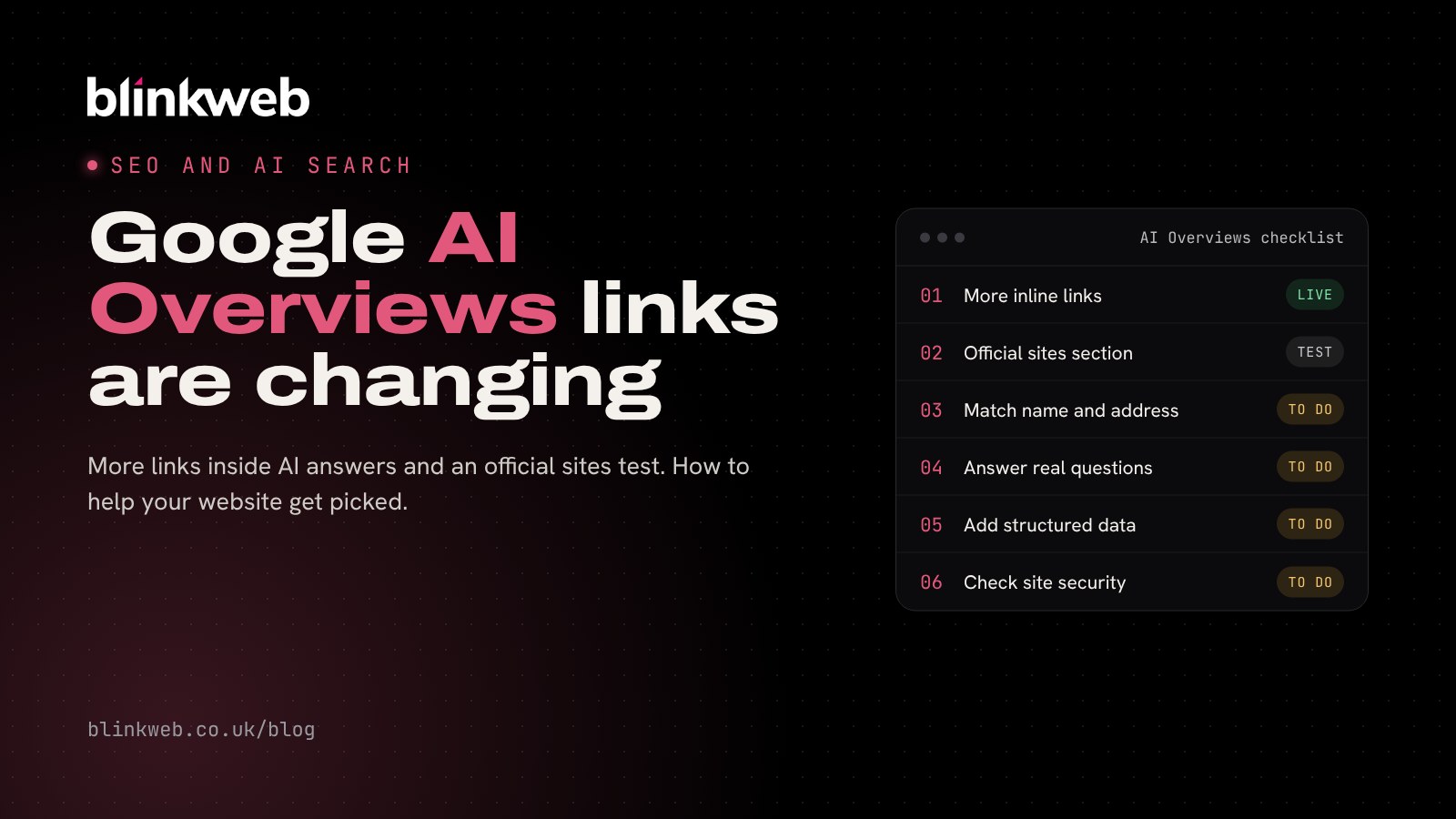
- More inline links: Google says it has made "continued and substantial increases" to links placed inside AI answers, and is showing them higher up more often.
- Official websites first: a test of a section at the top of some answers that points to official sites, with a short note on why each link is useful.
- News carousels: carousels of timely articles are rolling out to more countries and languages, and they highlight sources a person has chosen to follow.
- Bigger related links: the links at the end of some answers are getting image thumbnails and a more clickable design.
- Creator names: a test in AI Mode that makes the names of video creators and publishers clickable.
Google also said the number of people using Preferred Sources, its feature for picking the news outlets you want to see more of, has grown more than sevenfold since the start of the year.
What it means for UK businesses
AI Overviews already appear at the top of many UK searches, and AI Mode is available here too. Google hasn't said which of these changes will reach which countries first, and two of them are still tests. But the direction is clear: Google wants its AI answers to send people to websites it trusts.
For a business, that's an opportunity. If your site is the clearest, most trustworthy answer to a customer's question, you have a better chance of being one of the few links shown.
Will it bring more clicks?
We don't know yet, and neither does anyone outside Google. Search Engine Roundtable pointed out that Google still hasn't shared click data for these AI features. Google's response was that it is working with website owners to understand which insights would help and will add more metrics over time.
So treat this as a reason to tidy up your foundations, not as a promise of extra traffic.
How to help your website appear in AI Overviews
None of these steps are tricks. They're the same things that make a site useful to people, which is what Google keeps saying it rewards.
1. Make it obvious you're the official site
With Google testing an official websites section, it pays to leave no doubt about who you are. Use your exact business name, address and phone number on your contact page and in your footer, and keep them identical on your Google Business Profile and directory listings.
2. Answer real customer questions on your pages
Think about the questions customers ask you on the phone. Give each important one a clear heading and a direct answer in the first sentence or two, then add the detail. AI answers tend to pull from pages that state things plainly.
3. Show who's behind the business
An about page with real people, your experience, your location and how long you've been trading helps both visitors and search engines trust you.
4. Add structured data
Organisation and local business markup tells Google, in a language it reads directly, what your business is called, where it is and which website is yours.
5. Keep your site fast and secure
A slow, insecure or hacked site is unlikely to be chosen as a source. Keep WordPress, themes and plugins updated and make sure your SSL certificate and security headers are in good shape.
6. Don't hide your best content
If your most useful guides sit behind a form or a login, search engines can't read them. Keep the answers open and put the form alongside them instead.
7. Watch your numbers
Keep an eye on Google Search Console for impressions and clicks, and note when traffic moves so you can compare it with announcements like this one.
A quick checklist for this week
- Search for your business name and check your own website is the top result.
- Compare your name, address and phone number across your site and Google Business Profile.
- Pick your three most common customer questions and check your site answers each one clearly.
- Run a free check on your site's SEO and security basics (links below).
How Blink Web can help
With 30+ years of combined experience building and promoting websites for UK businesses, from sole traders to larger teams, we can help you get ready for AI search:
- Free SEO health check: a quick report on your titles, sitemap, speed and mobile setup.
- Search engine optimisation: local, technical and AI search optimisation that brings in real enquiries.
- Free website security check: see how your SSL, headers and email security look.
- WordPress maintenance: updates, backups and monitoring so your site stays fast and safe.
- Website design: a site built from the start to be found and trusted.
Want to know how your website looks to Google's AI? Get in touch and we'll take a look with you.
Sources: Google: More ways to connect with the web from Search, Search Engine Roundtable: Google updates links in AI Mode and AI Overviews again, Search Engine Roundtable: Daily Search Forum recap, 16 October 2026.