Windows 10 Extended Security Updates: Year Two Costs Double
Business cover for Windows 10 rolls into its second paid year this week, at twice the price. Here's how to work out which PCs to renew, upgrade or replace.
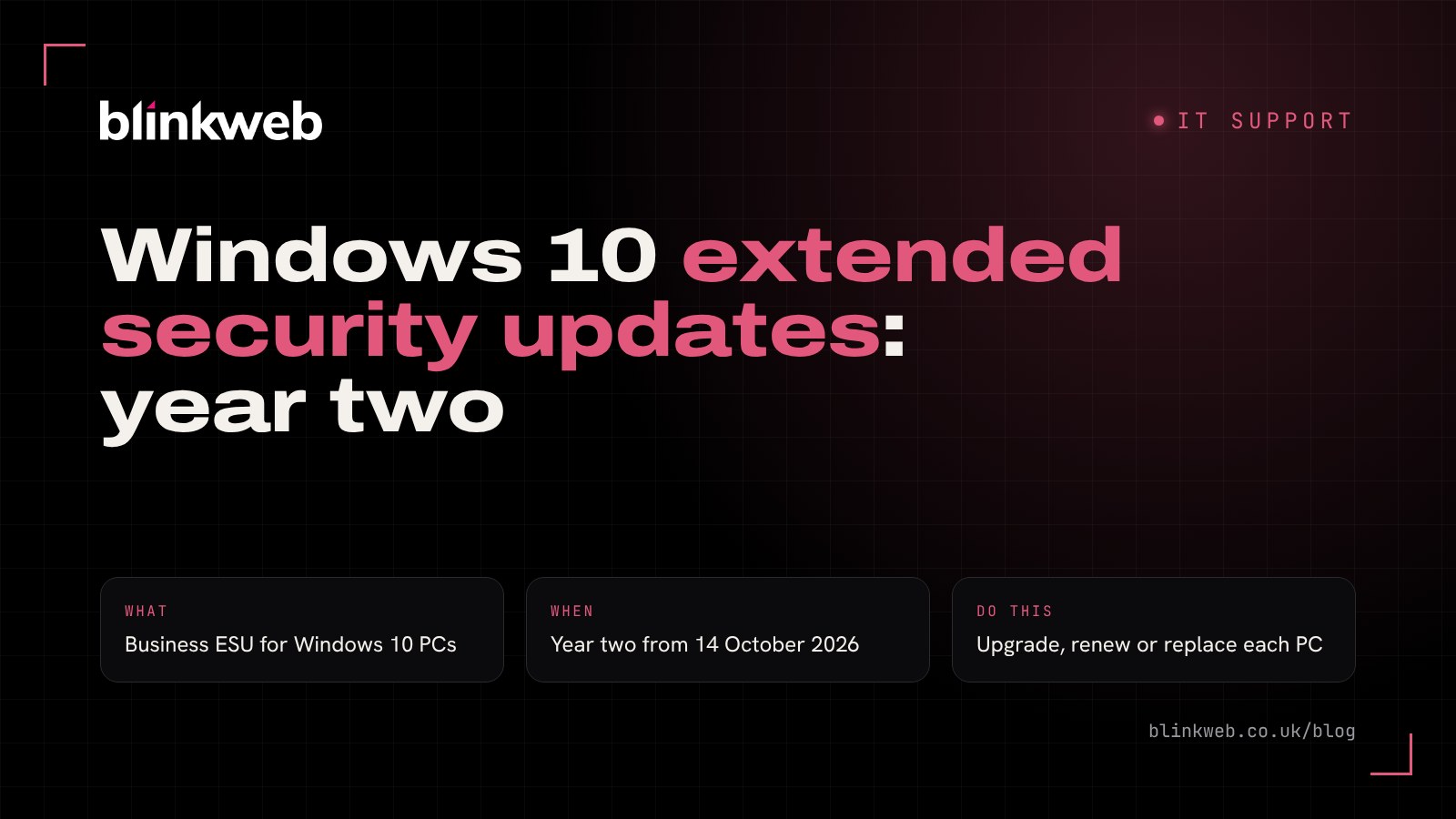
Still got a few Windows 10 PCs in the office? This week is decision time. Windows 10 Extended Security Updates (ESU) for businesses finish their first year on 13 October 2026, and the second year costs twice as much per computer. If you paid for year one, you now need to decide whether to renew, upgrade or replace. If you never signed up and have simply carried on, those machines have gone a full year without a security fix.
Here's a plain-English guide for UK small businesses, with a simple way to sort your PCs into three piles.
A quick recap: what are Windows 10 Extended Security Updates?
Microsoft ended normal support for Windows 10 on 14 October 2025. Since then, the only way to keep getting security patches on a Windows 10 PC has been to enrol it in the ESU programme.
ESU is deliberately limited. According to Microsoft's ESU documentation, it delivers critical and important security updates and nothing else: no new features, no general bug fixes and no general technical support. It also only works on Windows 10 version 22H2, so a PC that has fallen behind on updates needs bringing up to date first.
Think of it as a life jacket, not a new boat. It keeps you afloat while you plan the move to Windows 11.
What changes this week for Windows 10 ESU?
| Period | What it covers | Price per PC |
|---|---|---|
| Year one | Up to 13 October 2026 | US$61 |
| Year two | 14 October 2026 to 12 October 2027 | US$122 |
| Year three | To 10 October 2028 | US$244 |
Microsoft sets the year one price at US$61 per device through Volume Licensing and says that figure doubles each year, with three years as the limit. The year two and three figures above are that doubling worked through, as reported by Windows Forum. Microsoft quotes these prices in US dollars, so ask your licensing partner for the exact UK figure and your own renewal date.
Missed year one? You still pay for it
This is the catch many small businesses don't expect. ESU is cumulative. Microsoft says that if you join in year two, you have to pay for year one as well. So a PC joining now would cost US$183 to cover today, and there's no discount for coming in late.
What about the free option for home users?
Microsoft has extended its consumer ESU scheme to 12 October 2027, and home users can enrol for free by syncing their settings, by redeeming Microsoft Rewards points or with a one-off payment. But Microsoft's consumer ESU page is clear that it "can't be used in commercial scenarios". It also excludes PCs joined to a domain or Microsoft Entra, or enrolled in device management. A work laptop on a home licence isn't the answer.
Who's affected?
You're likely to need to act this week if:
- you paid for year one of business ESU and it's coming up for renewal
- you have Windows 10 PCs that are managed by your business and never joined ESU
- staff use Windows 10 PCs for work email, accounts or customer data
- you have an older PC running a single piece of software (a till, a label printer or a CAD package) that "only works on Windows 10"
If every computer in the business already runs Windows 11, you can relax. It's still worth a quick check, because one forgotten machine in the back office is all an attacker needs.
Renew, upgrade or replace? Sort your PCs into three piles
Rather than making one decision for the whole office, go machine by machine.
Pile 1: Upgrade to Windows 11 now
If a PC meets the Windows 11 requirements (including TPM 2.0, at least 4 GB of memory and 64 GB of storage), the upgrade is usually free and is almost always the best value. Back up the PC first, check your key software supports Windows 11, then upgrade. No ESU needed.
Pile 2: Renew ESU for one more year
Year two makes sense for a PC that genuinely can't move yet. Perhaps it runs specialist software waiting on a supplier update, or it's due for replacement in the spring. At US$122, set a firm date to retire it and treat ESU as breathing space, not a plan.
Pile 3: Replace the PC
Older machines that can't run Windows 11 are often slow, out of warranty and nearing the end anyway. Once you add up year one and year two ESU, a new business laptop starts to look like better value. A new PC also gets you current Microsoft 365 apps and better built-in security.
A fourth option for some businesses
Microsoft's ESU guidance also says Windows 10 PCs that connect to a Windows 365 Cloud PC are entitled to ESU for up to three years at no extra cost, as long as the Windows 365 subscription stays active. That suits some teams but adds a monthly subscription, so it's worth weighing up properly.
What to do this week
- List every Windows 10 PC. Include laptops at home, the reception PC and anything in a cupboard that runs a single job.
- Check which ones already have ESU. Your licensing partner or Microsoft 365 admin centre can confirm.
- Check Windows 11 compatibility. Run the PC Health Check app or ask us to check for you.
- Put each PC in a pile. Upgrade, renew or replace, with a date next to each.
- Back up before you change anything. A failed upgrade without a backup is a very bad afternoon.
- Tighten security on anything that stays on Windows 10. Keep the browser and antivirus up to date and limit what that PC is used for.
How Blink Web can help
With 30+ years of combined experience supporting UK businesses, we can do the whole job for you:
- Ad-hoc IT support: a one-off audit of your PCs with a clear upgrade, renew or replace list. No contract needed.
- Managed IT helpdesk: we'll handle Windows 11 upgrades, new laptops and ongoing patching for a fixed monthly fee.
- Backup and recovery: backups we test, so an upgrade never puts your files at risk.
- Managed cyber security: monitoring and endpoint protection for every device, old or new.
If you're also replacing Office 2021, our guide to Office 2021 end of support covers that side and it's often easiest to tackle both together. Or get in touch and we'll tell you, in plain English, which of your PCs are worth keeping.
Sources: Microsoft Learn: Extended Security Updates program for Windows 10, Microsoft: Windows 10 Consumer Extended Security Updates, Windows Forum: Windows 10 ESU year 2 costs $122 per device, O365HQ: Windows 10 ESU year one ends 13 October 2026, Insentra: Windows 10 ESU is about to double in price.