Microsoft 365 Backup Security: Lessons From the ConnectWise Incident
A stolen credential for a popular Microsoft 365 backup app let attackers sign in to business accounts and paused backups for days. Here's what happened and the checks every business using Microsoft 365 should make.
Your Microsoft 365 backup app can usually read every mailbox, every OneDrive and every SharePoint site in your business. That's what makes it useful, and it's also why Microsoft 365 backup security deserves a place on every business owner's list. Last week, a security incident at ConnectWise, whose Cloud Backup service is used by IT providers to protect Microsoft 365 data, showed what can happen when the keys to that access fall into the wrong hands.
Even if you've never heard of ConnectWise, the lessons apply to any business using Microsoft 365 with third party apps connected to it.
What happened?
ConnectWise sells mainly to managed IT providers, who use its tools to look after their own customers. Its Cloud Backup product, previously known as SkyKick, backs up email, OneDrive, SharePoint and Teams.
Here's the sequence, pieced together from reports by Help Net Security, The Record and The Hacker News:
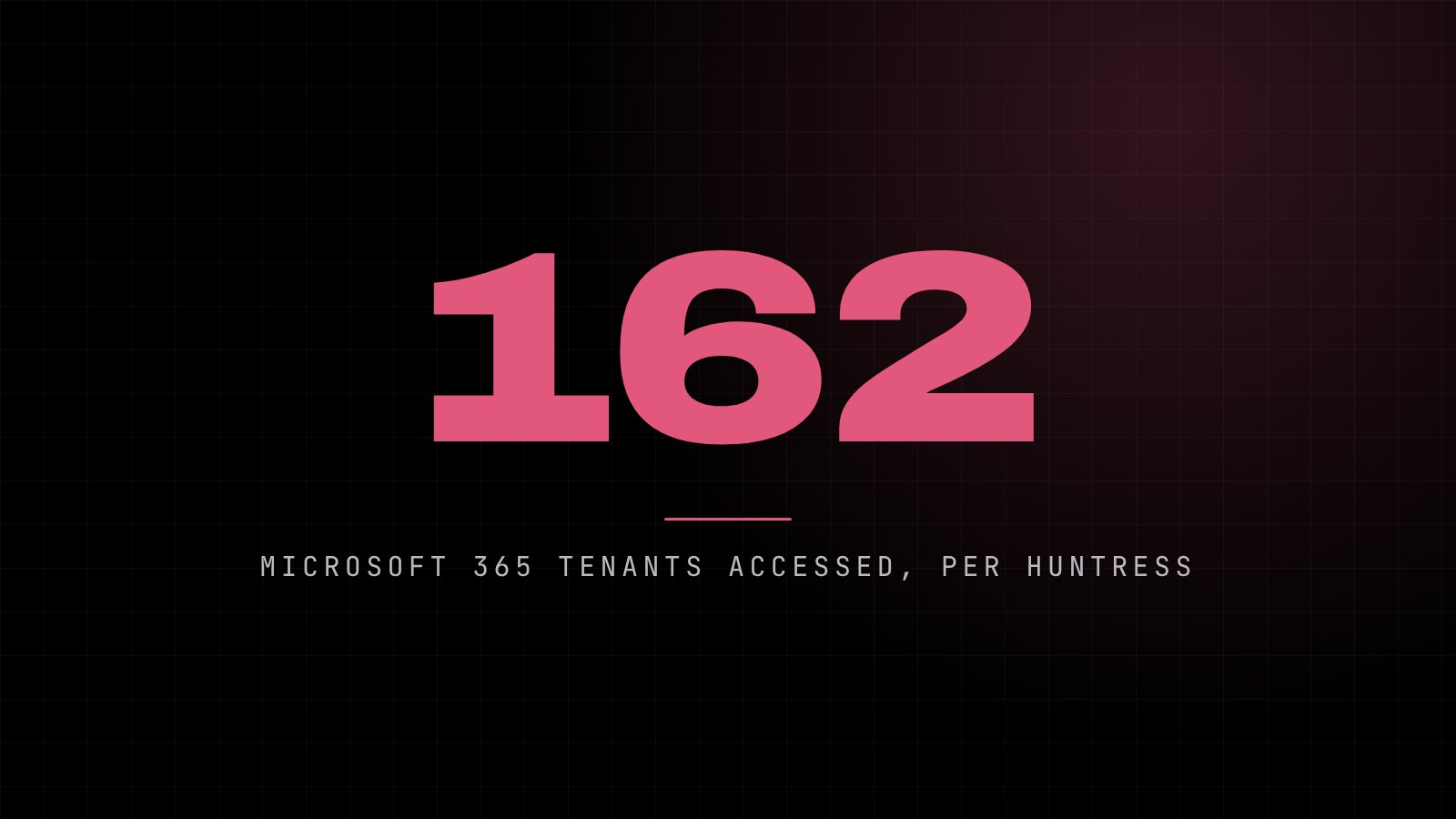
- Thursday 15 October: attackers used a stolen Cloud Backup credential to get into customers' Microsoft 365, posing as the backup app rather than as any member of staff. Security firm Huntress confirmed unauthorised access to at least 162 Microsoft 365 tenants (a tenant is one organisation's Microsoft 365 account).
- In at least one account, a related ConnectWise app gave itself Global Administrator rights and added new credentials to other trusted apps, a way of keeping access even after the original problem is fixed.
- Saturday 17 October: ConnectWise disabled seven of its app identities, revoked certificates and cancelled the shared Cloud Backup credentials. It also suspended Cloud Backup, SaaS Security and Cloud Management, so scheduled backups stopped and restores weren't possible.
- Wednesday 21 October: Microsoft published its own analysis, saying the group behind it attempted sign-ins to more than 2,250 tenants, most of which held firm.
ConnectWise has said there's no indication the stored backup data itself was accessed, and by 20 October it had reset accounts and credentials and was preparing a phased return of the service.
Why didn't multi-factor authentication stop it?
Because nobody logged in as a person. The attackers borrowed the app's identity, using its own credential. Multi-factor authentication and most sign-in rules protect user accounts, not apps that have already been given permission. Microsoft said, as reported by The Record, that the attackers "likely abused permissions previously granted by customers to the application".
Who's affected?
You're most directly affected if your IT provider uses ConnectWise Cloud Backup, SaaS Security or Cloud Management (or the older SkyKick products) for your Microsoft 365. If you're not sure, ask them. They should already be working through ConnectWise's guidance.
Everyone else is affected in a wider sense. Most Microsoft 365 accounts have a handful of connected apps: backup tools, email signature tools, scheduling apps, CRM add-ons, migration tools left over from years ago. Each one holds a set of permissions, and some of those permissions are broad.
Microsoft 365 backup security: six checks to make
You don't need to be technical to start these. Your IT provider can do the hands-on parts.
1. Find out which apps can reach your data
In the Microsoft Entra admin centre, the Enterprise applications list shows every app connected to your Microsoft 365. Microsoft explains how to look at what each one can do in its guide to reviewing permissions granted to enterprise applications. Ask your IT provider for a plain English list.
2. Remove what you don't use
Old migration tools, trial apps and services you cancelled years ago often keep their access. If nobody can explain why an app is there, it should probably go.
3. Question very broad permissions
A backup tool needs to read your data. It rarely needs to change who your administrators are. Ask whether each app's access matches what it actually does.
4. Check who your global administrators are
You should know every account and app with top level admin rights, and the list should be short. A new administrator you didn't create is a red flag.
5. Make sure your backups don't rely on one key
The NCSC's advice on backing up your data recommends keeping a backup separate from your main systems. In this incident, customers relying on a single backup service lost the ability to restore for days. Consider whether a second copy, held somewhere independent, would be worth it for your most important data.
6. Test a restore
A backup you've never restored from is a hope, not a plan. Pick a mailbox or a folder and ask for it to be restored, so you know how long it takes and that it works.
Questions to ask your IT provider this week
- Do we use ConnectWise Cloud Backup or any other ConnectWise app with our Microsoft 365?
- Which third party apps can access our Microsoft 365, and what can each one do?
- Who and what has Global Administrator rights?
- Where are our backups kept, and is there a copy that doesn't depend on one supplier?
- When did we last test a restore?
A good provider will be glad you asked. If the answers are vague, that's useful to know too.
Not just a backup problem
This incident is a reminder that security isn't only about passwords and phishing emails. The tools that look after your systems need looking after too. We touched on similar ground when Microsoft retired Exchange Web Services and older apps lost access, in our post on the Exchange Web Services retirement. And our 10 cyber security tips for small businesses covers the everyday basics that sit alongside these checks.
How Blink Web can help
We look after Microsoft 365 for UK and small businesses alike, and with 30+ years of combined experience we can review your setup and backups with you:
- Backup and recovery: Microsoft 365, server and device backups you can actually restore.
- Microsoft 365: licensing, security settings and day-to-day management.
- Managed cyber security: ongoing monitoring so unusual sign-ins don't go unnoticed.
- Managed IT helpdesk: day-to-day IT support for your team for a fixed monthly fee.
Want a second pair of eyes on which apps can reach your data? Get in touch and we'll walk through it with you.
Sources: Help Net Security: ConnectWise suspends Cloud Backup service after attackers abuse its Microsoft 365 access, The Record: ConnectWise suspends Cloud Backup service after supply chain attack, The Hacker News: ConnectWise resets credentials as Cloud Backup remains offline, The Hacker News: Microsoft's analysis of the ConnectWise attack, NCSC: Backing up your data, Microsoft Learn: Review permissions granted to enterprise applications.